Guides
Build a plasmid
Import to assembled construct, with a virtual gel in between. Every junction, overhang and orientation the tool reports is a prediction you should confirm.
Updated 31 July 2026
All documentation
On this page
The plasmid editor is the Build step of the loop: you have a design, and you need a construct that carries it.
Import a construct
Accepted: GenBank (.gb, .gbk, .genbank), FASTA, EMBL,
SnapGene .dna binaries, and raw DNA. Annotations are read from the record
where present, so a GenBank file arrives already featured.
The cap is 8 MiB, which covers full plasmid records with comfortable margin.
If you just want to see it work, Try an example loads a composed demo construct carrying a T7 promoter, M13 forward and reverse sites, a lac operator, a full 861 bp AmpR ORF, and single cutters for EcoRI, BamHI, HindIII, PstI, XbaI and XhoI — enough to produce a real two-band gel. It loads as:
1,201 bp · circular · GC 48.7% · 5 features
That header line is the quickest check that an import parsed correctly: a feature count of zero on a GenBank file means the annotations did not survive.
Read and edit the sequence
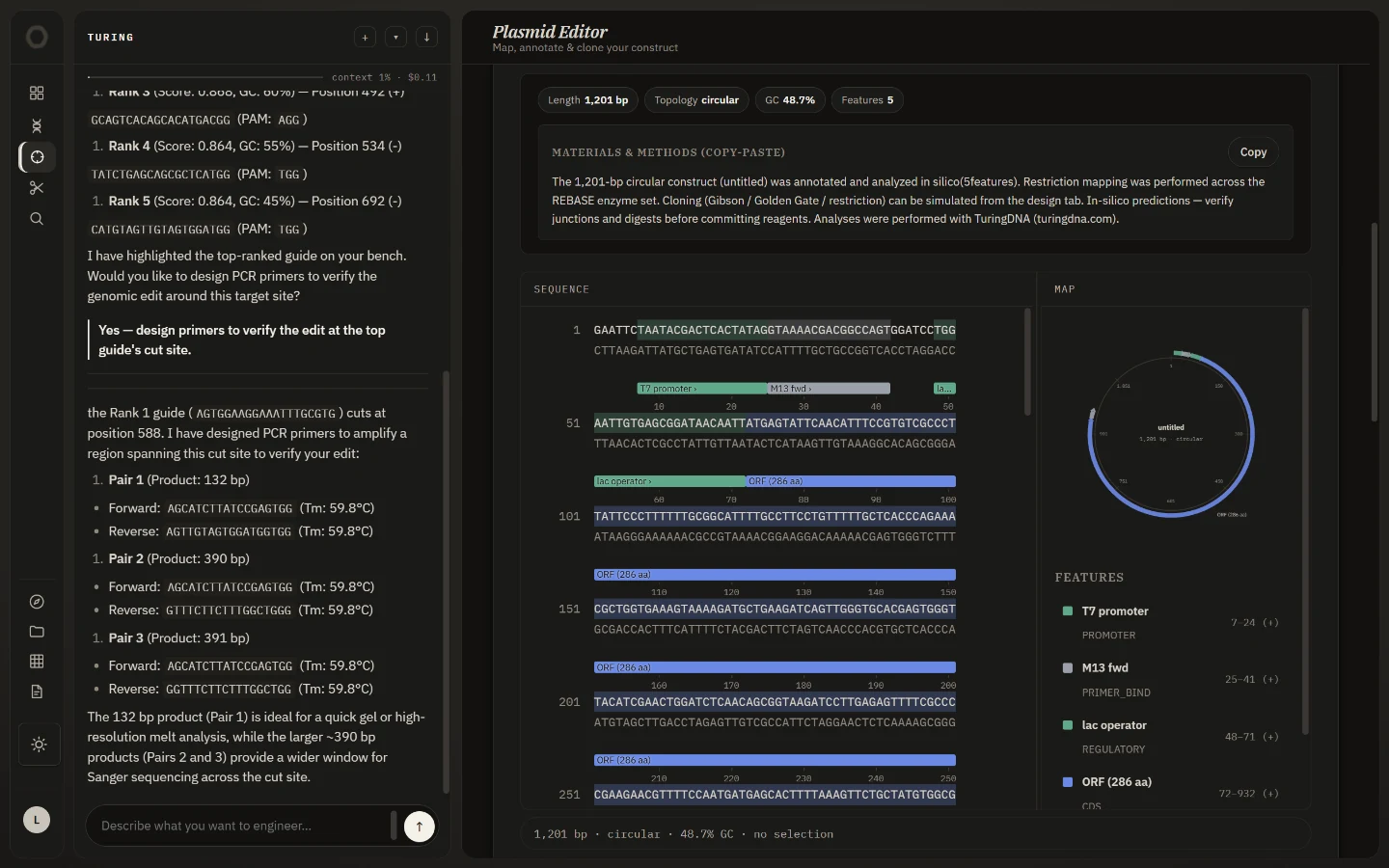
Two synchronised views: an annotated circular or linear map, and a sequence pane with feature colouring. In the pane you can find a motif, translate a region, reverse-complement it, add an annotation, or edit bases in place.
Scan for cut sites
The restriction scan runs the full REBASE enzyme set — over 1,000 enzymes — via Biopython, and splits the result into cutters and non-cutters. Both halves are useful: the non-cutters are what you can safely introduce into an insert.
Pick enzymes and Digest to simulate the reaction on a virtual agarose gel, with fragment sizes and band positions.
Non-cutters are the useful half more often than you would think
When designing an insert, the question is usually “which enzyme does not cut this” rather than “which does”.
Compare two sequences
Align two sequences does a pairwise alignment of the current construct against anything you paste — the usual use being a sequencing read against the design, to find where they diverge before blaming the assembly.
Assemble
Three methods, each reporting fragment order, junctions and the assembled product.
Gibson (default) — overlap assembly, also covering NEBuilder HiFi, SLIC and CPEC. The engine looks for a fragment order whose ends already overlap, and where none exists it designs an overlap with homology-tailed primers. Default overlap is 25 bp across 2 fragments.
Golden Gate — Type IIS assembly with BsaI (default), BbsI or BsmBI. Parts are chained by matching 4-nt overhangs into a circle. The overhang set is what determines whether the assembly is ordered or scrambled, so the junction table is the thing to read.
Restriction-ligation — classic cut-and-paste, default enzyme EcoRI.
Type IIS sites must be absent from your insert
A stray GGTCTC (BsaI) or CGTCTC (BsmBI) inside a part will be cut during
assembly. The variant library tool scrubs
these synonymously during codon optimisation, on both strands, precisely so
an insert survives Golden Gate.
Export and hand off
Export as GenBank (default, keeps annotations) or FASTA. Free accounts keep constructs in a library for 45 days; Pro has no expiry.
Cross-tool handoffs send the current construct straight into another view — → CRISPR to design guides against it, → Primers to validate an amplification, → Evolve to send a CDS into library design.
Assemblies are simulations
Every junction, overhang and orientation is a prediction, and so is every band on the virtual gel. Confirm before you commit reagents. Research use only.